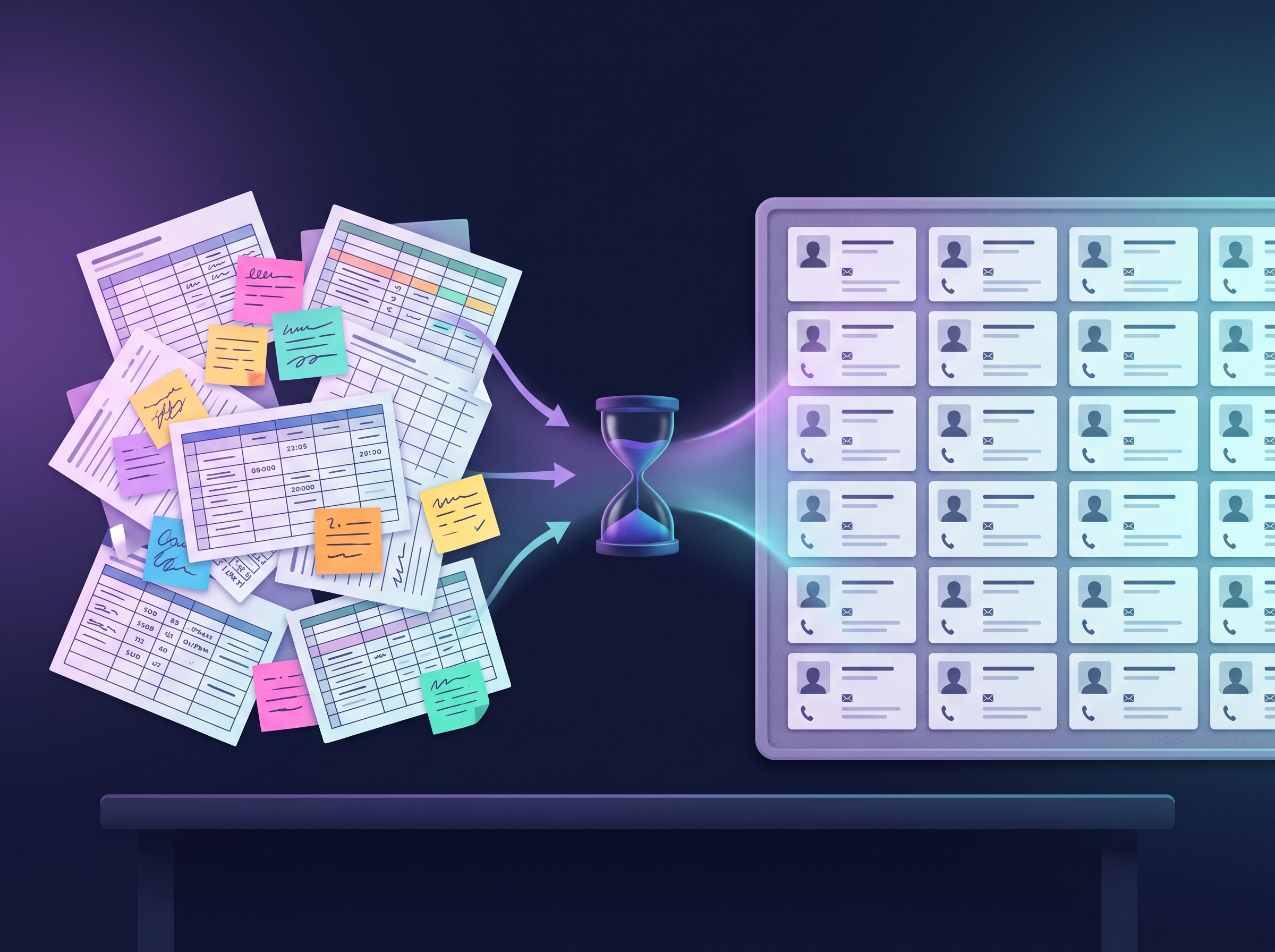

There’s a moment in every growing business when the trusty Excel spreadsheet starts to feel less like a helpful tool and more like a digital millstone around your neck. You’re scrolling through endless rows, squinting at tiny cells, and—worst of all—you’ve just realised you’ve been emailing the wrong contact for three weeks because someone updated the mobile number but forgot to change the email address two columns over.
Sound familiar? You’re not alone. The transition from manual customer tracking to a proper CRM system is one of those business milestones that sneaks up on you. One day you’re proudly managing everything in a neat little spreadsheet, and the next you’re drowning in data chaos, wondering how everything got so complicated so quickly.
The Tell-Tale Signs You’ve Outgrown Manual Tracking
Let’s be honest about what “outgrowing” your current system actually looks like in practice. It’s not usually a dramatic moment of revelation—it’s more like death by a thousand paper cuts.
The first sign is usually time. If you’re spending more than an hour a week just maintaining your customer data—updating contact details, cross-referencing information between different spreadsheets, or trying to remember which version is the “master” file—you’re already past the point where manual tracking makes financial sense.
Then there’s the collaboration chaos. When your team starts asking questions like “Which Sarah are we talking about?” or “Is this the same company we dealt with last year?” you know your system isn’t scaling with your business. Multiple people trying to update the same spreadsheet is a recipe for disaster, and if you’ve ever lost hours of work because someone overwrote the wrong version, you’ll know exactly what I mean.
Perhaps most importantly, manual tracking becomes a problem when you start missing opportunities. If you can’t quickly see which prospects haven’t been contacted recently, which customers are due for renewal, or which leads came from your best marketing channels, you’re essentially flying blind. Your customer data should be working for you, not against you.
The Reality Check: What CRM Actually Costs
Here’s where many small business owners get stuck. They know they need something better, but they’re worried about the investment—both financial and time-wise. The good news is that the CRM landscape has changed dramatically over the past few years, with genuinely useful options available at every price point.
At the free end of the spectrum, you’ve got options like HubSpot’s free tier, which offers basic contact management and deal tracking for up to a million contacts. It’s not comprehensive, but it’s a solid step up from spreadsheets. Zoho CRM offers a free version for up to three users, which often works well for micro-businesses just starting out.
Moving up the price ladder, you’re looking at roughly £10-30 per user per month for established platforms like Pipedrive, Monday.com, or Salesforce Essentials. That might seem steep if you’re used to free spreadsheets, but consider this: if a proper CRM saves each team member just one hour per week, you’re probably breaking even on productivity gains alone.
But here’s the reality check that many businesses aren’t prepared for: the real investment isn’t the monthly subscription—it’s the setup and migration process. Moving years of customer data from spreadsheets into a new system takes time, and doing it properly means thinking through your entire customer journey, not just dumping contact details into a new database.
The Setup Investment Nobody Talks About
Most CRM providers will tell you their software is “quick and easy to set up.” Technically, they’re not wrong—you can have an account running in minutes. But that’s like saying you can move house quickly because signing a lease only takes five minutes. The real work comes in the migration.
Expect to spend at least a few days cleaning up your existing data before importing it. This means standardising company names, removing duplicates, and deciding what information actually needs to come across. It’s tedious work, but it’s also an opportunity to really understand your customer base in a way you probably haven’t before.
Then there’s the learning curve. Even the most intuitive CRM requires your team to change established habits. Someone needs to take ownership of the setup process, train other users, and establish new workflows. In my experience, businesses that rush this part often end up with expensive digital filing cabinets rather than useful business tools.
When You’re Definitely Not Ready
Sometimes the best advice is knowing when not to make a change. If your business is going through significant upheaval—launching new products, hiring rapidly, or dealing with major market changes—adding a new system to the mix might create more stress than it relieves.
Similarly, if you’re still figuring out your basic customer journey or your sales process changes frequently, a CRM might be premature. These systems work best when you have established processes to optimise, not when you’re still experimenting with fundamentals.
And here’s an unpopular opinion: if your current manual system is genuinely working well for everyone involved, there’s no shame in sticking with it a bit longer. Technology should solve problems, not create them for the sake of appearing “professional.”
Making the Transition Work
When you do decide to make the switch, success usually comes down to realistic expectations and proper planning. Start by mapping out your current process—how do leads come in? Who speaks to them? What information do you track? How do you follow up? A good CRM should enhance this process, not completely reinvent it.
Choose a system that matches your actual needs, not your aspirational ones. If you’re a five-person consultancy, you probably don’t need enterprise-level features. Conversely, if you’re planning to double your team size in the next year, factor that growth into your decision.
Most importantly, involve your team in the selection process. The most sophisticated CRM in the world won’t help if nobody wants to use it. Get input from the people who’ll be using it daily, and consider running a trial with a small subset of your customer data before committing fully.
The spreadsheet-to-CRM transition doesn’t have to be a leap of faith. Done thoughtfully, it’s an investment in your business’s ability to grow without losing track of the relationships that matter most. But like any business decision, timing matters as much as the choice itself.
What’s your current customer management pain point that finally convinced you it was time for a change?
Ready to discuss your CRM options? Get in touch and let’s talk through what makes sense for your business.